Frequently Asked Questions
Why isn't my board turning on?
Make sure the battery is fully charged and inserted properly and completely into the frisbee. You may also have uploaded code that turns no lights on, so it looks like it's off. Try uploading the sample code to the frisbee, and look for pin 5 flashing blue as you do.
Why aren't my LEDs turning on?
It's a good practice to call clear() inside the setup function, so make sure that's in there. Then, make sure you go back through your code thoroughly to determine exactly what it is doing. Comments can help you remember what each part is doing. Remember, computers are dumb, they can only do what you tell them to.
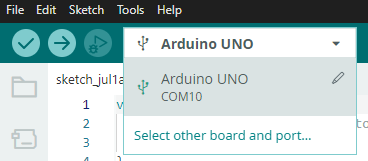
Why does it say I don't have the right COM port?


These are some of the most com(mon) errors when you are programming these boards. The first error happens because you are not connected to a COM port, and the second because the port you were connected to does not exist. To fix this, disconnect your frisbee, then click on the dropdown with your board (Arduino Uno) on it. Plug your frisbee back in, and a new port should appear (the number does not matter). If it does not, your frisbee is not connected, and you need to check your cables and ports. When it does, click on the new one, and then try uploading your code through there.
Why don't I have access to my COM ports?
If you're not the owner profile of your computer, you may not have access to the COM ports (USB ports) used to interface with the frisbee. For Windows, run as administrator, or Mac and Linux, run as root. If that doesn't work, try contacting your administrator.
Why does it say I have the wrong board?
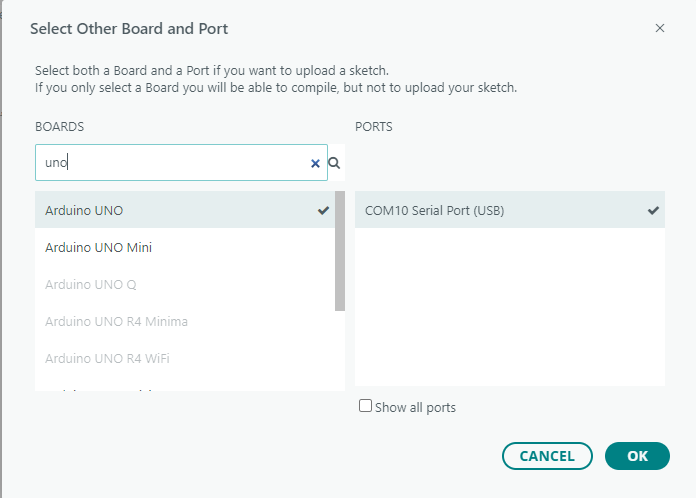
Make sure you have a 2026 board in your frisbee - it will be blue, and have the chip camp logo and website link. If you do, you must also select Arduino Uno as your board.
How do I program the board?
1. Plug your USB-C cable into the frisbee and your computer.
2. Select the correct board and port, as shown above.
3. Press Upload (the right arrow) in the top left of the IDE.
4. Your frisbee should start running your code. Disconnect it and make sure it's turned on, and you're ready to play!
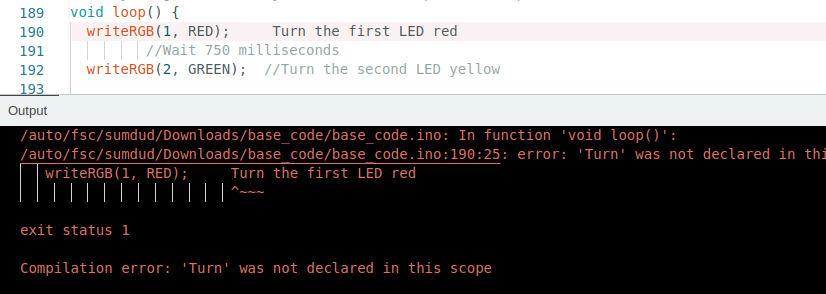
Why do I have a syntax error?
Syntax errors are errors that happen because of incorrect programming punctuation, or format. In code, a single typo that a human might be able to understand as a mistaek becomes completely unintelligible to the computer, and it throws a fit. This is even extended to capitalization - "HIGH" is not the same as "high".
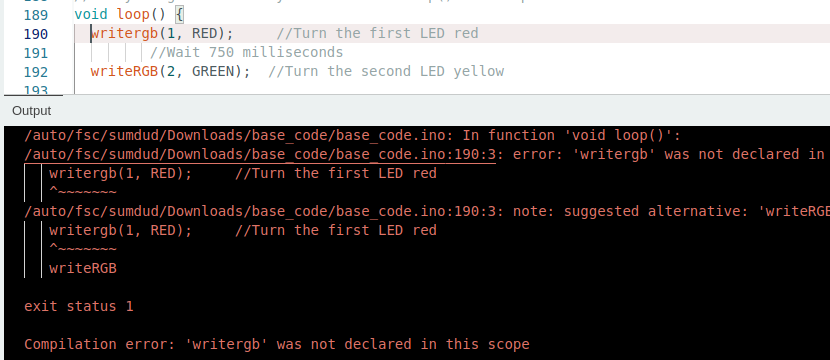
A misspelled method.
Another common problem is forgetting a semicolon ";". These need to be at the end of every line you write. The exceptions are functions, if statements, for statements, etc (statements that use braces {}). Often, the program will try to tell you that it's expecting a semicolon, but highlight the wrong line. Also look above and below the supposed problem line to find a missing semicolon.
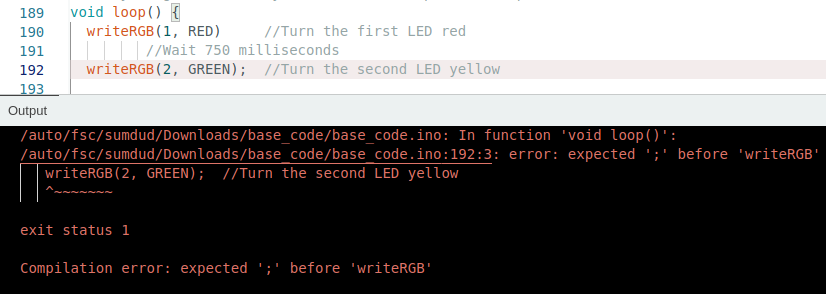
A forgotten semicolon.
You also need to make sure that every time you have an open curly brace "{" or open parenthesis "(", you need to have a matching one ( "}" or ")" respectively). Curly braces are used to represent the beginning and ends of functions, and all of your code should be inside of them, especially for loop() and setup() commands.
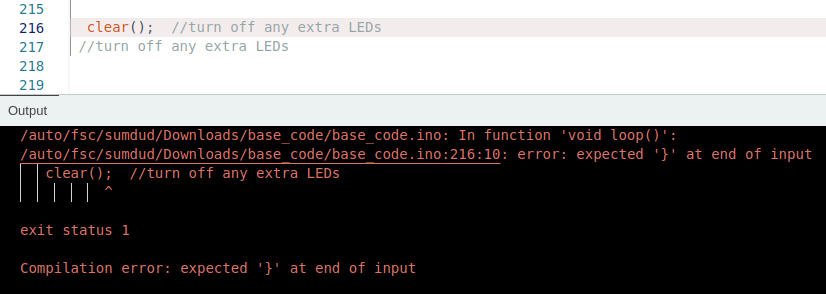
A deleted curly brace.
A final piece of confusing syntax is the comment, represented by "//" or "/**/". The computer will try to run everything you type, even if it's not code. To be able to write words to ourself or others, developers added comments. Everything after // in a line will be ignored, and everything between /* and */ will also be ignored. You can see this often in the code where things are labeled to make them easier to use, but be sure to use this technique if you're adding code yourself.